
Minecraft Random Block Generator
This free online tool picks a random block for Minecraft when you click Generate. Choose a category, roll one to eight blocks at once, and view them in 3D or as textures, with rarity shown. Handy for build inspiration when you’re in a creative rut. It is part of our Random & Seed collection.
Commands
Paste into chat or a command block with cheats enabled. Bedrock uses /give @s without the minecraft: prefix.
Block Stats
Downloads
PNG exports the current view. SVG, .schematic and .litematic build the focused block's texture as pixel art. JSON, CSV and text export the whole roll.
History
Related Generators
Beyond creating custom Minecraft Potion Generator, you can also discover random items with the Minecraft Random Item Generator, explore new worlds using the Minecraft Random Seed Generator, or generate unique worlds with the Minecraft Seed Generator.
Example Random Block Results
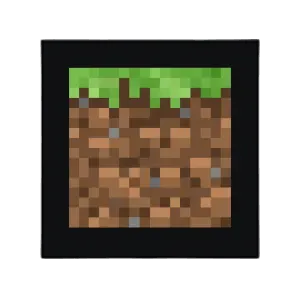
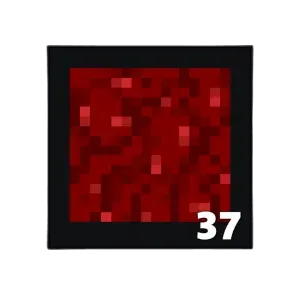
Each example shows filtered random block selection in action. Starting from an input such as Category: Ores, the output gives you a rendered block, its rarity, and a /give command to copy.
What is a Minecraft Random Block Generator?
This Random Minecraft Block Generator is a web-based tool that makes a random selection of Minecraft blocks whenever you click the Generate button. Each result appears in a rotating 3D preview with its name and rarity, giving you a specific block to work with.
Pick one to eight blocks per roll, filter by category, and use the results for build inspiration or a build challenge. Rarer entries turn up less often.
What This Generator Gives You
Press Generate to roll random blocks from a category of your choice, inspect each one in 3D, and export the result in several formats.
Category Filters and Multi-Block Rolls
Pick a category from the menu to narrow down blocks, then set one to sixteen blocks per roll. With Allow Duplicates off, a block won’t repeat within the same roll.
3D and Texture Views
Results render as 3D blocks you can drag to rotate and scroll to zoom, or as 16×16 textures in the 2D view. Toggle auto-spin, inventory slots and sound effects.
Rarity Labels and Roll Tracking
Rolls are weighted, so rarer blocks appear less often, and each result carries rarity info. The Block Stats panel tracks rolls and the different blocks you’ve seen, while History keeps a clickable log of your last 20.
Export and Copy Options
Download a PNG render of the current view, or the roll as JSON, CSV or plain text. The focused block’s texture exports as pixel-art SVG, .schematic or .litematic (1.16.5 to 1.21.1). The Commands panel copies ready /give or /setblock commands for every block in the roll.
How to Use the Minecraft Random Block Picker
Choose a category, set the block count, and tap Generate. The picker shows each result’s rarity, a preview, and export options.
1. Narrow the Pool by Category
Use the Category dropdown under the canvas to keep rolls on theme. Leave All Categories on to draw from every block, or narrow the pool to one group of related blocks. The Rarity and Search boxes narrow it further, and the Pool counter shows how many blocks match.
2. Pick the Number of Blocks
Drag the Blocks per Roll slider or type a number from 1 to 16. The default is 1 block, and higher values display several together. Turn off Allow Duplicates to avoid repeats within a roll.
3. Press Roll Random Block
Click Roll Random Block or Roll Block, click the preview, or press Space while the preview is focused. Each roll is weighted by rarity, so Common blocks appear far more often than Epic ones. The Block Stats panel lists the name, ID, rarity and category.
4. Rotate, Zoom or Switch to 2D
In 3D, drag to rotate the block and scroll to zoom. Switch to 2D for its flat 16×16 texture in an inventory slot. The ⟳ button toggles auto-rotate, and the Zoom slider sets an exact scale.
5. Look Back at Your Rolls
Each roll is saved to History, which keeps your last 20 blocks. Click any entry to preview that block again, or copy the commands for the whole list. The Block Stats panel tracks rolls and different blocks seen, while the Pool counter shows blocks matching your filters.
6. Copy the Command or Export
The Commands panel builds Java or Bedrock commands as /give, /setblock or Block IDs. Java uses the minecraft: prefix, Bedrock doesn’t. Hit Copy Command and paste it into chat with cheats on. The Downloads panel offers PNG, SVG, JSON, CSV, text, .schematic and .litematic.
Common Settings & Popular Presets
Each setup below relies on category filters, block counts or toggles to shape the rolls around the project you have in mind.
| Option | Best For | Pro Tip |
|---|---|---|
| All Categories | Getting out of a building rut when you have no fixed idea | Click an entry in History to bring back an earlier result. It keeps your last 20 blocks |
| Wood category | A cabin, barn or any timber-framed project | Raise Blocks per Roll so one click returns a mix of planks and logs |
| Stone category | A castle wall, ruin or keep that needs mixed masonry | Pair a rough roll like Cobblestone with a smoother one like Smooth Stone for texture contrast |
| Colored category | Pixel art and flat-color floors | Set Blocks per Roll to 16 and switch to 2D to see a wool, concrete and terracotta palette together in one 4×4 grid |
| Ores category | Theme rooms such as a mine, vault or treasure cellar | The Rarity stat in Block Stats shows how lucky a roll was. Coal Ore is Common, Diamond Ore and Emerald Ore are Rare, and Ancient Debris is the only Epic |
| Nether category | A fortress or a fiery hellscape | Most Nether blocks are Common, so an Uncommon or Rare pull like Glowstone, Shroomlight or Crying Obsidian works well as an accent |
| Five blocks per roll | Build battles or a quick palette run | Type the same Seed for every player and keep the same filters, so everyone gets the same five blocks to start with |
| Allow Duplicates off | Mixed material sets where every block in one roll should be different | It only stops repeats inside a single roll, not between rolls. If the pool has fewer blocks than Blocks per Roll, you get only as many as the pool holds |
| 2D view | Studying a block’s pixel texture to learn blocks by sight | Switch Inventory Slots off before Download as PNG when you want a clean image without the slot frames |
🟩Pro Tips to Build a Random Block in Minecraft
Roll up to 16 blocks at once, then build using only randomly selected blocks from that set. It forces choices you’d never otherwise make.
Decide on no swapping before the first roll, so an awkward result becomes a puzzle to solve rather than something to reroll.
Turn off Allow Duplicates so the same block can’t appear twice within one roll. It only works inside a single roll, so a later roll can still bring a block back.
Choose a theme from the Category menu before rolling. Nether or Wood keeps the look consistent, while Utility returns crafting tables, furnaces, barrels and bookshelves for interior pieces.
Hit Copy Command in the Commands panel to copy a /give command for every block in the roll, then paste it into chat. Cheats must be on for it to work.
History keeps your last 20 blocks, and Text + Cmds downloads the current roll. Send the file to friends, or share the same Seed and filters, so a build battle starts from the same blocks.
In-Game Workflow
Roll a block, inspect it, then carry it into your world as a building prompt.
Choose the Category and Roll Size
Choose a category to narrow the block types, set Blocks per Roll from 1 to 16 for a palette, and turn off Allow Duplicates to avoid repeats within a roll.
Roll and Inspect the Block
Roll with Roll Random Block, or press Space while the preview is focused. Then read the block details in the Block Stats panel and switch to 2D view to study the pixels.
Copy the Command or Stats
In the Commands panel, pick Java or Bedrock and /give, /setblock or Block IDs, then hit Copy Command. The /give amount is the rolled stack size, 1 to 64 with Random Stack Size on. Paste it into chat with cheats enabled.
Save the Results
History stores your last 20 blocks, and its Copy button copies their commands. The Downloads panel exports the current roll as JSON, CSV or text, plus PNG, SVG, .schematic and .litematic.
Common Mistakes
Most bad rolls come from a few habits, and each one is easy to fix.
Rolling Before Choosing a Category
The selector starts on All Categories, so a Nether block can show up in an ocean temple. Pick Natural first, then roll again.
Expecting Every Block to Roll Equally
Rolls are weighted by rarity, so Dirt turns up often while Rare picks like Beacon and Epic picks like Netherite Block appear seldom. That’s by design.
Searching for Blocks Outside the Pool
The pool is a fixed list, not the full block registry, so stairs, slabs and command blocks will never come up. The Pool counter shows how many blocks match your filters.
Forgetting to Turn Off Allow Duplicates
For randomized build palettes, switch off Allow Duplicates. Otherwise one multi-block roll can hand you the same block twice. It only works within a single roll, so a later roll can still bring a block back.
Assuming Every Copy Button Covers the Whole Roll
Copy Command in the Commands panel copies a command for every block in the roll. The Copy button in Block Stats copies only the focused block, so use the right one after a multi-block roll.
Not Saving History in Time
History keeps only the latest 20 blocks, and every block in a multi-block roll counts. It also resets when the page reloads. Use its Copy button to save the commands before older blocks drop off.
Conclusion
This minecraft random block creator randomly selects blocks from a category you choose, weighted by rarity levels, so every roll gives you a fresh starting point for build ideas. Roll up to eight blocks at once, copy a block name or give command, and turn random materials into creative building challenges.
FAQs - Minecraft Random Block Generator
How many blocks are included, and is the list up to date?
The generator rolls from 211 blocks in eight categories. It’s a curated selection, so stairs, slabs and newer additions such as resin aren’t included.
Can I use it for build ideas?
Absolutely. Roll up to sixteen blocks and build only with those as a challenge, or discover blocks you might not know.
What are the rarity levels?
Blocks fall into four rarity levels: Common, Uncommon, Rare and Epic. Higher tiers roll less often, and Dragon Egg ranks Epic.
Does it include every color of wool and concrete?
Yes. Wool, concrete, terracotta and stained glass each come in all 16 colors.
Does this work for Minecraft Bedrock and Java?
Yes. The Commands panel has a Java and Bedrock switch, and Bedrock commands skip the minecraft: prefix. Some block IDs may differ between editions.
Does the generator work for games other than Minecraft?
No. The block list, rarity tiers and copied commands are built around Minecraft, so the results only make sense there, not for other block-based games.
What output formats does the Minecraft Random Block Generator support?
Download a PNG of the current view, a pixel-art SVG, JSON, CSV, text, .schematic or .litematic. Copy Command copies /give or /setblock commands.
Do I need to create an account to use this Minecraft Random Block Generator?
No. There is no registration, and you don’t need Minecraft accounts. The tool runs as client-side JavaScript in your browser, so no installation is needed.